


Pin Traveler: Travel Tracker
3.981.00 Reviews
App Specs
- Version
- 4.4.0
- Updated On
- License
- Free
- Downloads
- 100,000+
- Developer
- Pin Traveler LLC
- Categories
- Travel & Local
- Platform
- Android
Screenshots

 Analysis by AppCompare
I find travel maps most useful when they help turn scattered memories into something I can revisit. Pin Traveler: Travel Tracker is built around that idea: instead of planning every leg of a trip, I can mark places I have been and shape those pins into a personal record. That makes it appealing for someone who likes looking back at a journey as much as choosing the next destination.
A map that works for a household, with one important boundary
Picture a family at the kitchen table after a holiday. One person remembers the coastal town, another recalls a museum, and a child wants to find the place where everyone stopped for ice cream. A map-based travel tracker gives the conversation a shared visual focus. I can imagine using Pin Traveler to browse those memories together, or to show relatives which parts of a country the family has explored.
That shared moment should not be confused with a shared account or an automatic household profile. I would treat each person’s map as their own unless they choose to share it. Before adding family members’ photos or personal notes, I’d agree on what belongs on a map and who is comfortable seeing it. This is especially sensible when a device is passed around: a visible map may reveal travel patterns that someone would rather keep private.
For a household that wants one coordinated record, the practical question is who will maintain it. If everyone adds places independently, entries can become inconsistent; if one person manages the map, it may leave out the memories others care about. A simple routine helps: add a stop together at the end of a trip, agree on what counts as a visit, and keep the note brief enough that someone else can understand it later. That small bit of coordination matters more than trying to make the map exhaustive.
Choosing what to record before the map gets crowded
Pinning every stop can sound satisfying, but it can also turn a memory map into a chore. I’d use a selective approach: record places that help tell the story of a trip, rather than every café or transfer point. For a return visit, a short note about why a place mattered can be more useful than a long description. If the goal is to remember recommendations, I’d distinguish a place I actually visited from somewhere I only hope to visit, so future plans do not blur into past experience.
This distinction also helps when people in the same household travel separately. One person’s visit should not quietly become everyone’s shared travel history. If you are using a common device, take a moment to check whose map is open before adding a location or photo. The app’s appeal is the personal record it creates, so keeping ownership clear makes the resulting map more trustworthy.
Where a travel tracker fits among other tools
I would not replace a navigation app, a booking service, or a detailed itinerary with Pin Traveler. Those tools answer immediate questions such as how to get somewhere, where a reservation is, or what time a tour starts. A travel map serves a different purpose: it helps organize the places that matter to you over time. Compared with a photo gallery, it gives memories a geographic frame; compared with a spreadsheet, it is easier to browse visually. The trade-off is that a map is not automatically a complete diary, and it may take deliberate effort to add enough context for a pin to be meaningful months later.
Worth Reading Before You Choose

Flipboard Shows What News Apps Must Do Beyond the Feed

Switching to Android Auto Means Rethinking Your Driving Routine

Google Calendar Makes a Crowded Week Easier to Manage

Ludo King Makes the Most of the Minutes Between Plans

Baby Panda World Brings Quick Play to Modern Phones, but Its Game Library Feels Busy

ESPN’s Live Game View Makes Following Close Games Easier
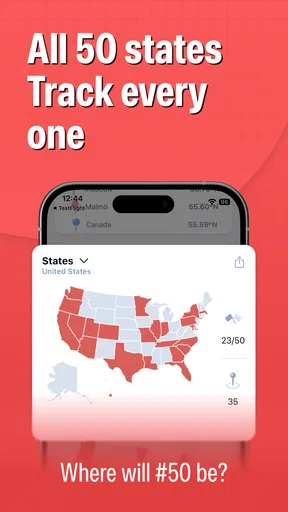
That makes it a better fit for travelers who enjoy collecting destinations, building a country or state map, or spotting gaps in their own travel history. Someone who mainly needs offline directions, live transit details, shared trip logistics, or a searchable archive of receipts should keep using a tool designed for those jobs. I would also skip a tracking app if I rarely look back at trips; the map only becomes rewarding if I enjoy maintaining and revisiting it.
Everyday use, from a weekend away to a long-term record
In an ordinary workflow, I might wait until I am back at the hotel or home, then add a few memorable stops while the details are fresh. That is less distracting than trying to document everything while walking around. I’d write a compact reminder such as what I ordered, which view was worth the detour, or whether I would return. These notes turn pins into useful prompts when planning another visit, without asking me to create a full travel journal.
For a household planning a future break, the same map can support a low-pressure conversation: look at places already visited, choose an area nobody has explored, and keep actual bookings in the usual planning tool. This avoids treating a personal map as a live coordination board. It is a record and a source of ideas, not a substitute for confirming plans with the people involved.
Getting Started with Pin Traveler
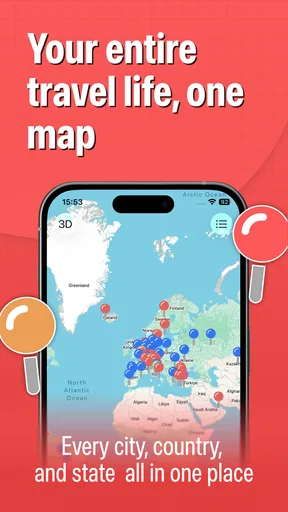
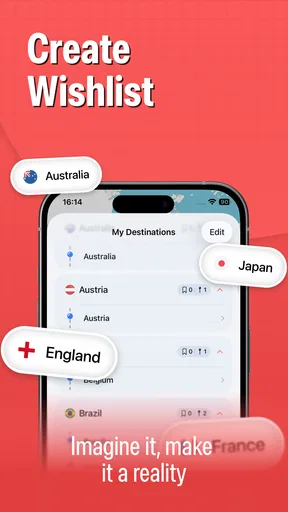
As soon as I launched Pin Traveler, I was greeted by a clean and intuitive interface. The setup was a breeze, and within minutes, I was ready to start pinning my past and future travels. The app allows you to create a personalized map of your journeys, marking each destination with colorful pins. It's like having your own digital world map, and honestly, it's super satisfying to see all those places you’ve been to!
Features that Make It Shine
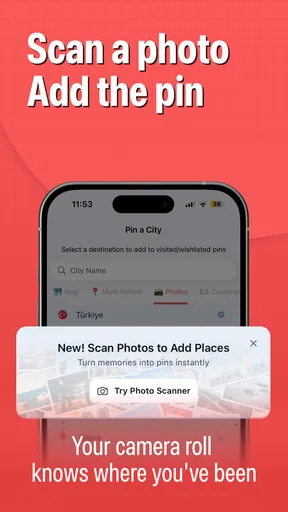
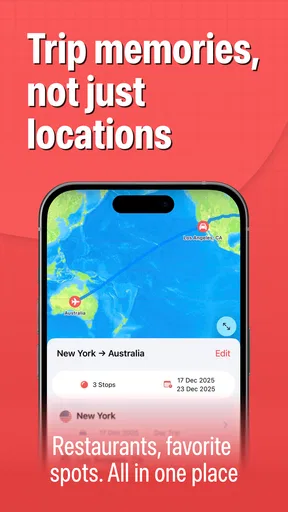
One of the standout features is the ability to add notes and photos to each location. It’s not just about dropping a pin; it’s about capturing the memories associated with each place. Whether it was that incredible sunset in Santorini or the mouth-watering street food in Bangkok, you can document everything right there in the app. It makes for a wonderful virtual travel diary.
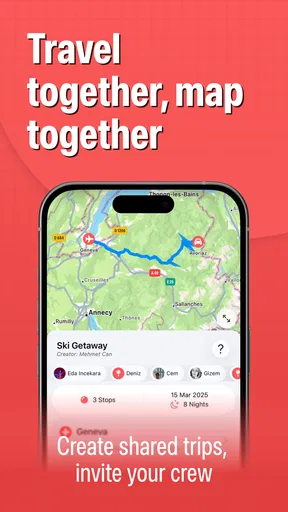
Another cool feature is the categorization of pins. You can sort your destinations by type, like ‘beaches,’ ‘historical sites,’ or ‘foodie spots.’ It’s perfect for those of us who love organizing our experiences. Plus, you can even share your map with friends and family, which is a fun way to showcase your adventures without flooding their social media feeds.
How It Keeps You Motivated
What I found particularly motivating is the goal-setting feature. You can set travel goals for the year, whether it’s visiting a certain number of countries or exploring new cities. The app keeps track of your progress and gives you gentle nudges to keep exploring. It’s like having a personal travel coach in your pocket!
There’s also a statistics section that provides insights into your travel habits. It shows you how many countries you’ve visited, the continents you’ve explored, and even the types of places you frequent. It’s a neat way to analyze your travel patterns and perhaps inspire you to venture into new territories.
User Experience and Design
The design of Pin Traveler is sleek and modern, with a user-friendly layout that makes navigation a breeze. I appreciated the minimalist approach, which kept the focus on my travels rather than the app itself. The color scheme is pleasing to the eye, making it a joy to use, even for extended periods.
One thing that stood out to me was the responsiveness of the app. There were no glitches or crashes during my use, which is a huge plus. The developers seem to have put a lot of thought into ensuring a smooth user experience, and it shows.
Price, age suitability, and the household decision
Pin Traveler is a free travel and local app from Pin Traveler LLC, with optional in-app purchases priced from $0.99 to $39.99 per item. I’d start with the free version and see whether the map becomes part of my routine before paying for anything. The app is rated for Everyone, but that is an age suitability label, not a promise of family profiles, parental controls, or a shared household setup. For younger users, I’d decide together what locations and photos are appropriate to include.
The app has a 4.0 average from around 1.1 thousand ratings, with 77 written reviews, and has passed 100 thousand installs. It was released on October 10, 2020; version 4.2.3 requires Android 10 or later. Those figures offer a little context about its reach and current Android compatibility, but they do not tell me whether it suits a particular family’s habits. I’d check that the device meets the OS requirement and make the decision based on whether everyone actually wants a visual travel record.
What to expect before committing
A common question is whether this can coordinate a trip while it is happening. I would use it to record places and share a map, but I would keep meeting times, reservations, routes, and last-minute changes somewhere intended for trip logistics. Another sensible question is whether it replaces a photo backup: I would not rely on a map as the only home for important photos. Its notes and images enrich a location, while a dedicated photo library remains the safer place to organize a complete collection.
If you have years of travel to enter, avoid turning setup into a marathon. Start with the destinations you remember clearly, then add more when a photo or conversation brings a place back to mind. A handful of accurate pins is more useful than a crowded map full of uncertain stops. If you are unsure whether a pin represents a visit or a future idea, label that distinction in your own notes where practical, and keep the map’s core purpose clear.
Pin Traveler is also not the best choice for someone who wants automatic trip detection or a constantly updated location history. I see its value in deliberate curation: I choose what deserves a place on the map. That means a little manual work, but it also avoids treating every movement as a memory. For privacy-conscious travelers, that distinction can be a plus; for anyone who dislikes entering information, it may feel like friction.
Final Thoughts
All in all, Pin Traveler: Travel Tracker is a fantastic tool for anyone who loves to travel and document their journeys. It combines functionality with a touch of creativity, making it more than just a travel tracker—it’s a memory keeper. Whether you’re a seasoned globetrotter or someone who’s just starting their travel journey, this app has something for everyone. So, go ahead, give it a try, and start pinning those incredible places you’ve been dreaming about!
Pros
- User-friendly interface for easy navigation.
- Customizable trip plans and itineraries.
- Offline access to saved travel data.
- Interactive map with location highlights.
- Frequent updates with new features.
Cons
- Limited free version features.
- Requires registration for full functionality.
- Occasional syncing issues reported.
- Heavy battery usage when tracking trips.
- No integration with other travel apps.
FAQs for Pin Traveler: Travel Tracker
What is Pin Traveler: Travel Tracker and how does it work?
Pin Traveler: Travel Tracker is an app designed to help users document and manage their travel experiences. With this app, you can pin locations on a world map, add photos, and jot down notes about your trips. It offers a straightforward interface for keeping a visual diary of your travels, making it easy to reminisce about past adventures and plan new ones.
Can I use Pin Traveler offline?
Yes, Pin Traveler offers offline functionality, allowing you to access your saved maps and travel logs without an internet connection. This is particularly useful when traveling to remote areas or regions with limited connectivity. However, to update or sync your data across devices, you will need an internet connection.
Is Pin Traveler available for both Android and iOS devices?
Yes, Pin Traveler is available for both Android and iOS platforms. The app is designed to provide a seamless experience across different devices, ensuring that all users can enjoy its features, whether on a smartphone or a tablet. You can download it from the Google Play Store or the Apple App Store.
Are there any costs associated with using Pin Traveler?
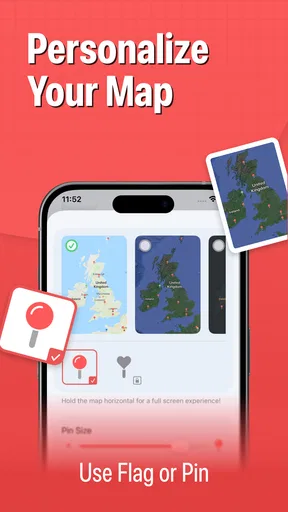
Pin Traveler offers a free version with basic features, allowing users to pin locations and add notes. However, there are premium features available through in-app purchases, which include advanced functionalities like unlimited pins, additional map styles, and data backup options. These enhancements can enrich your travel documenting experience.
How secure is my data on Pin Traveler?
Pin Traveler prioritizes user privacy and data security. The app uses encryption to protect your information and offers options to backup your data to secure cloud services. It's important to regularly update the app to ensure you have the latest security features and fixes. Always check the app’s privacy policy for detailed information on data handling.


